Facebook — How to accept and share pages
How to accept and share pages with another Facebook account
How to accept a Facebook Page you purchased
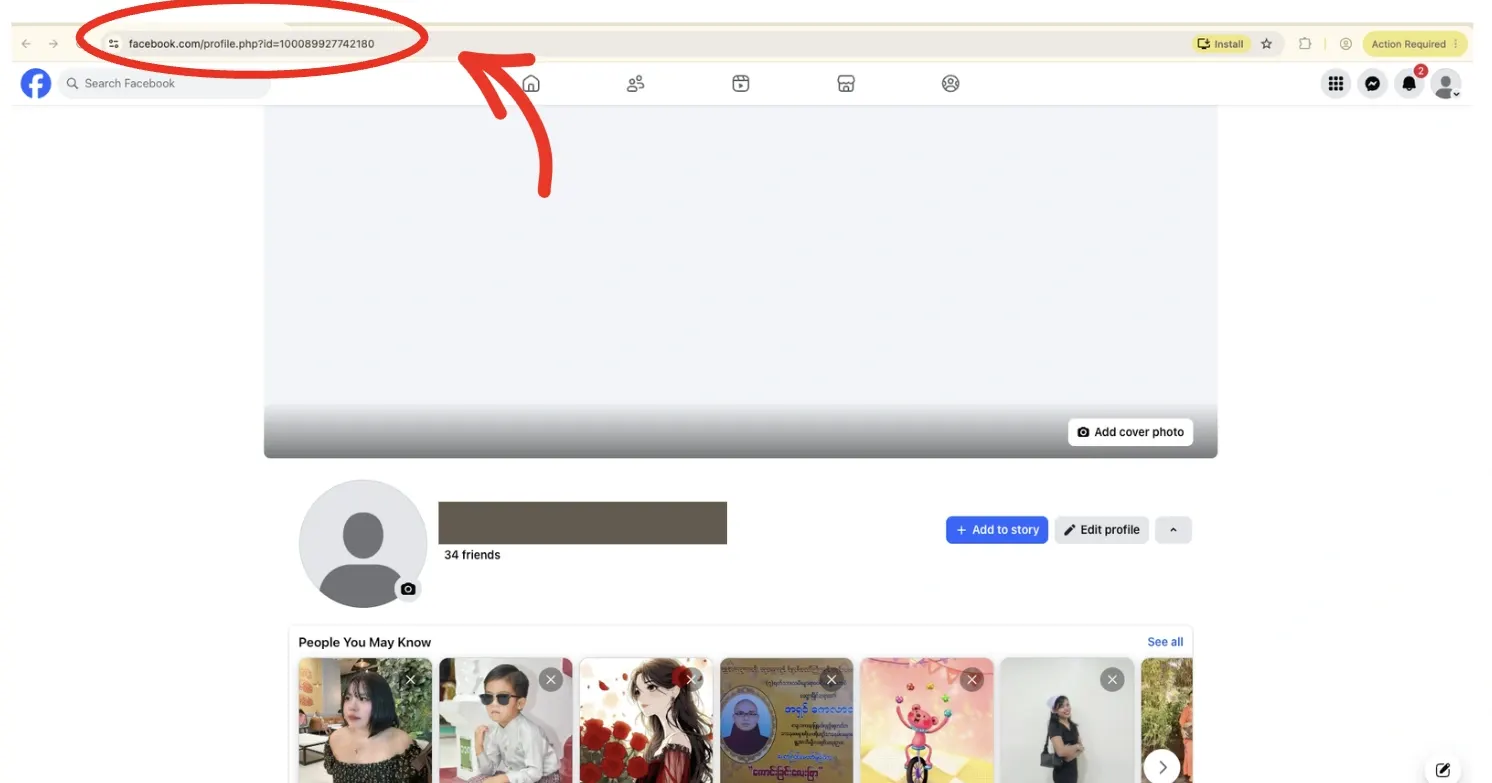
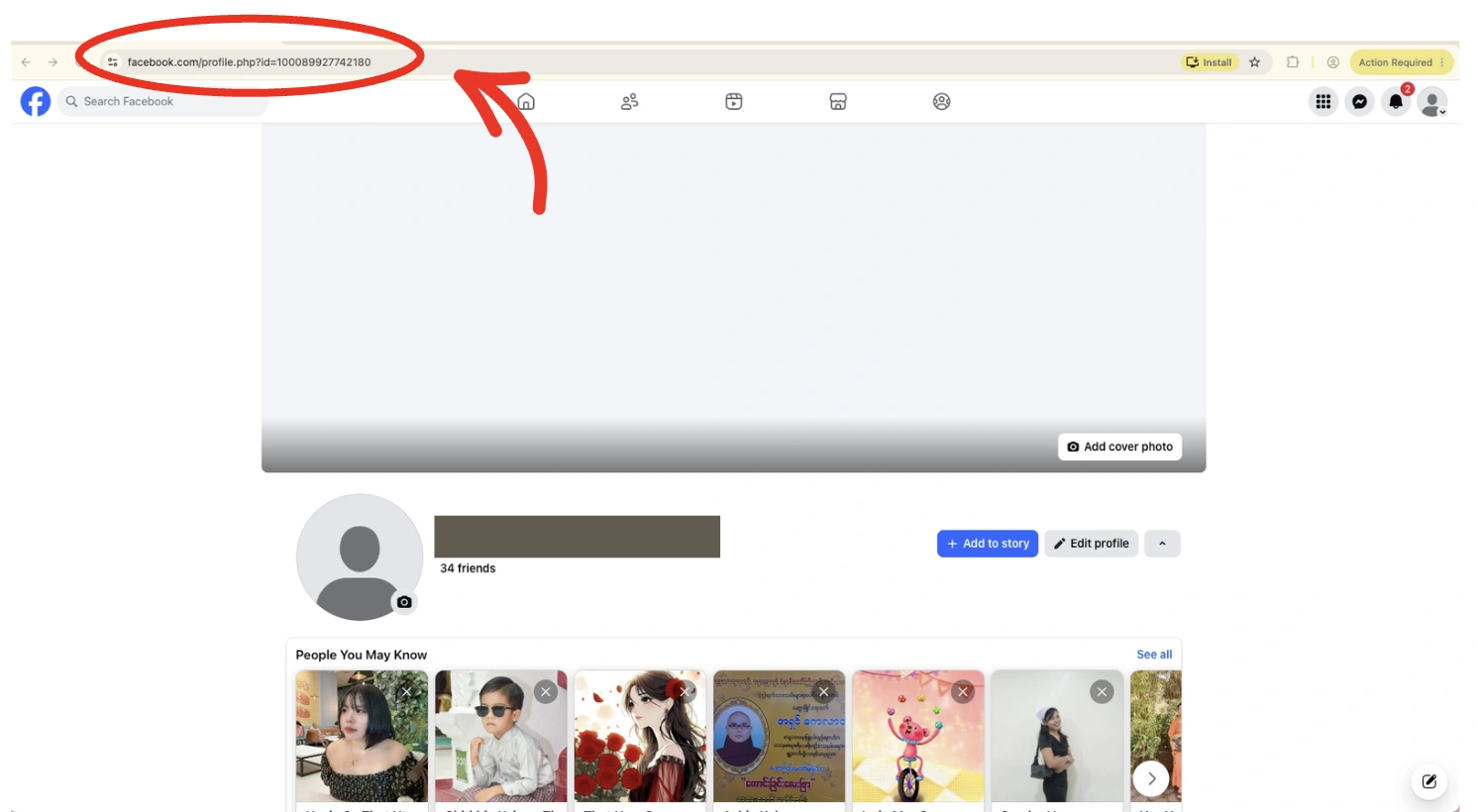
Step 1 — After your page purchase, send your Facebook profile link to our support team.
Profile link example: https://www.facebook.com/profile.php?id=100089927742180
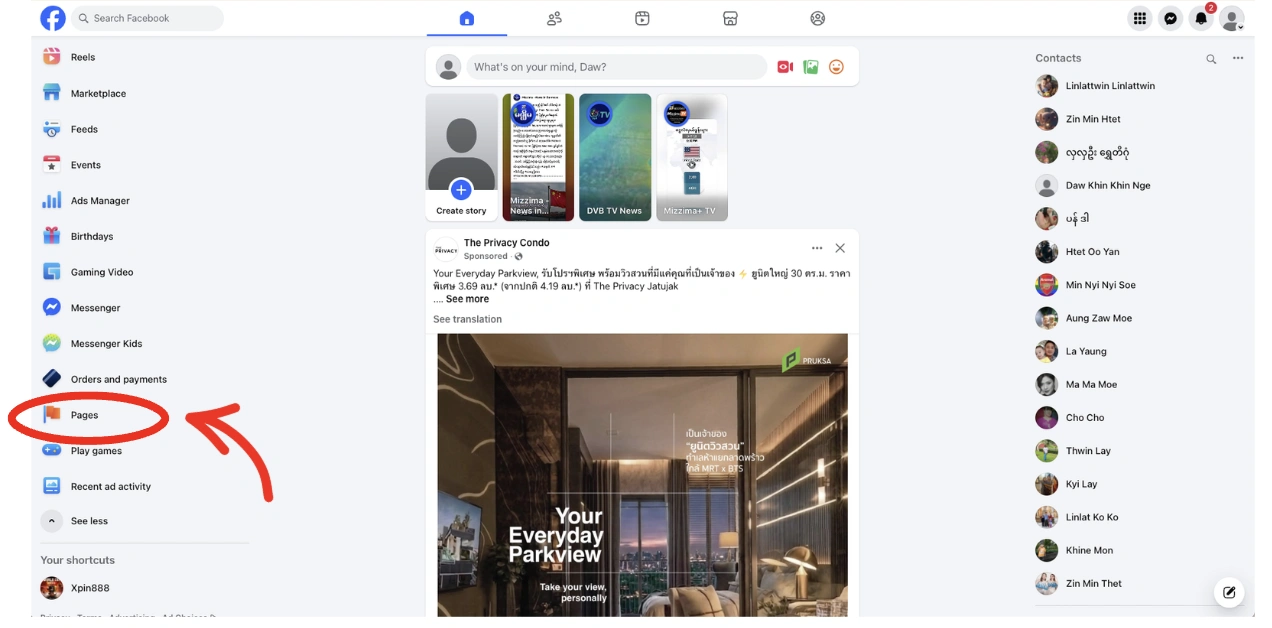
Step 2 — Go back to your Facebook home page, then open Pages.
Step 3 — Open Invites, find your page invite, then press Accept.
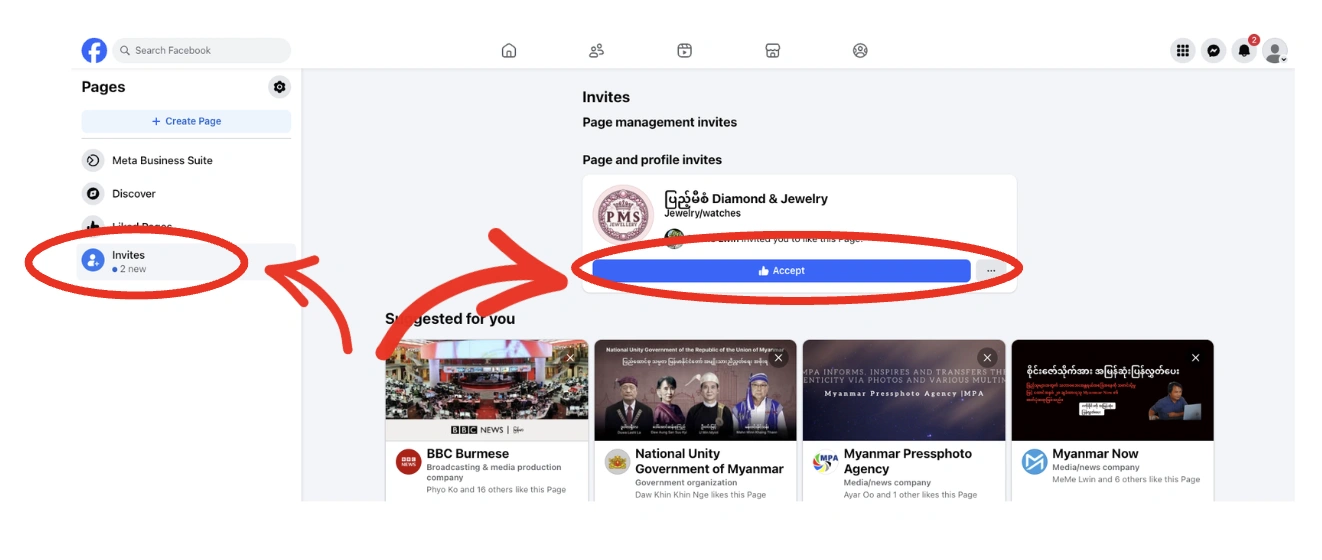
Successfully accepted the page.
How to share your Facebook Page
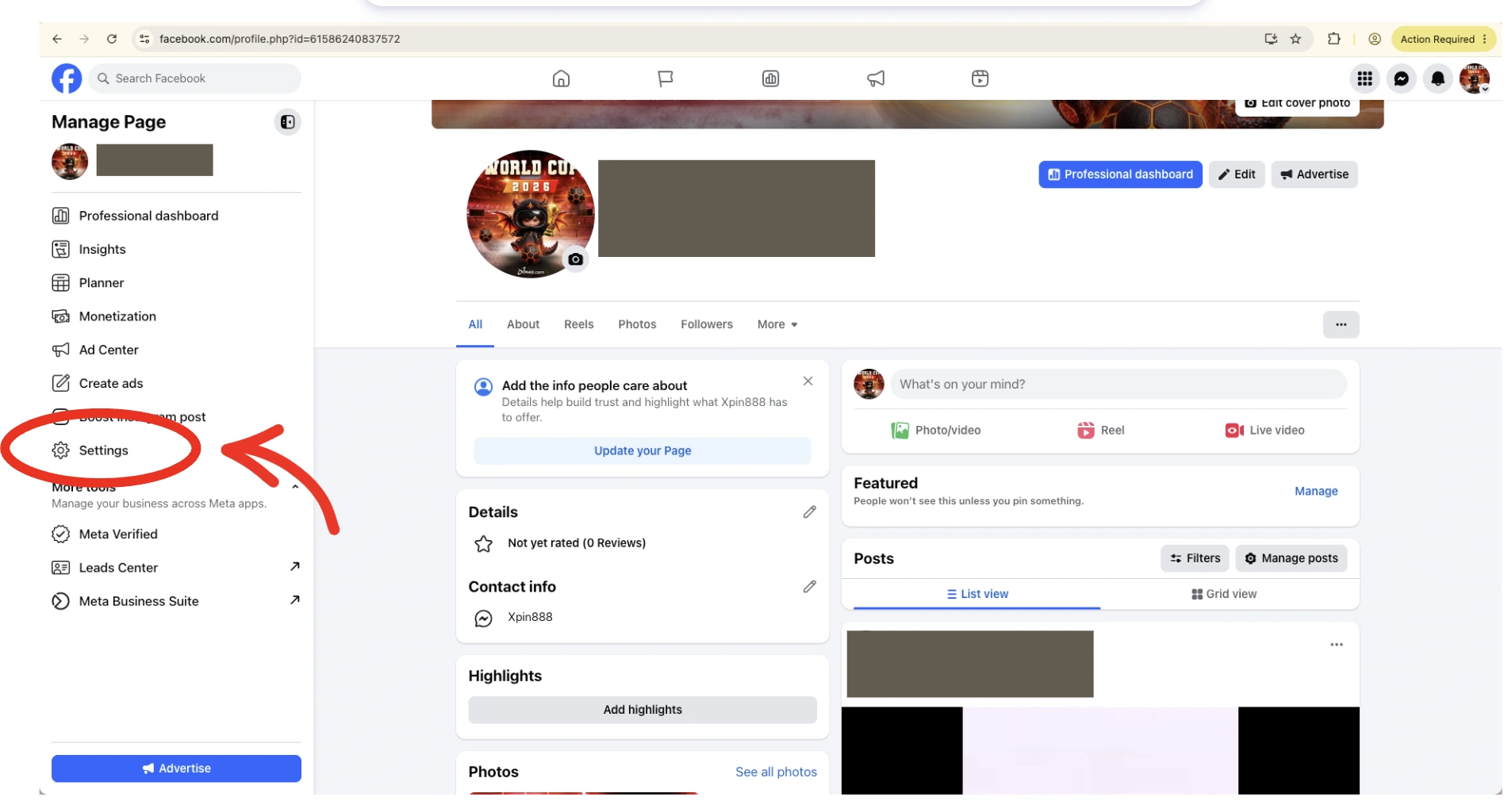
Step 1 — Go to your page profile, then open Settings.
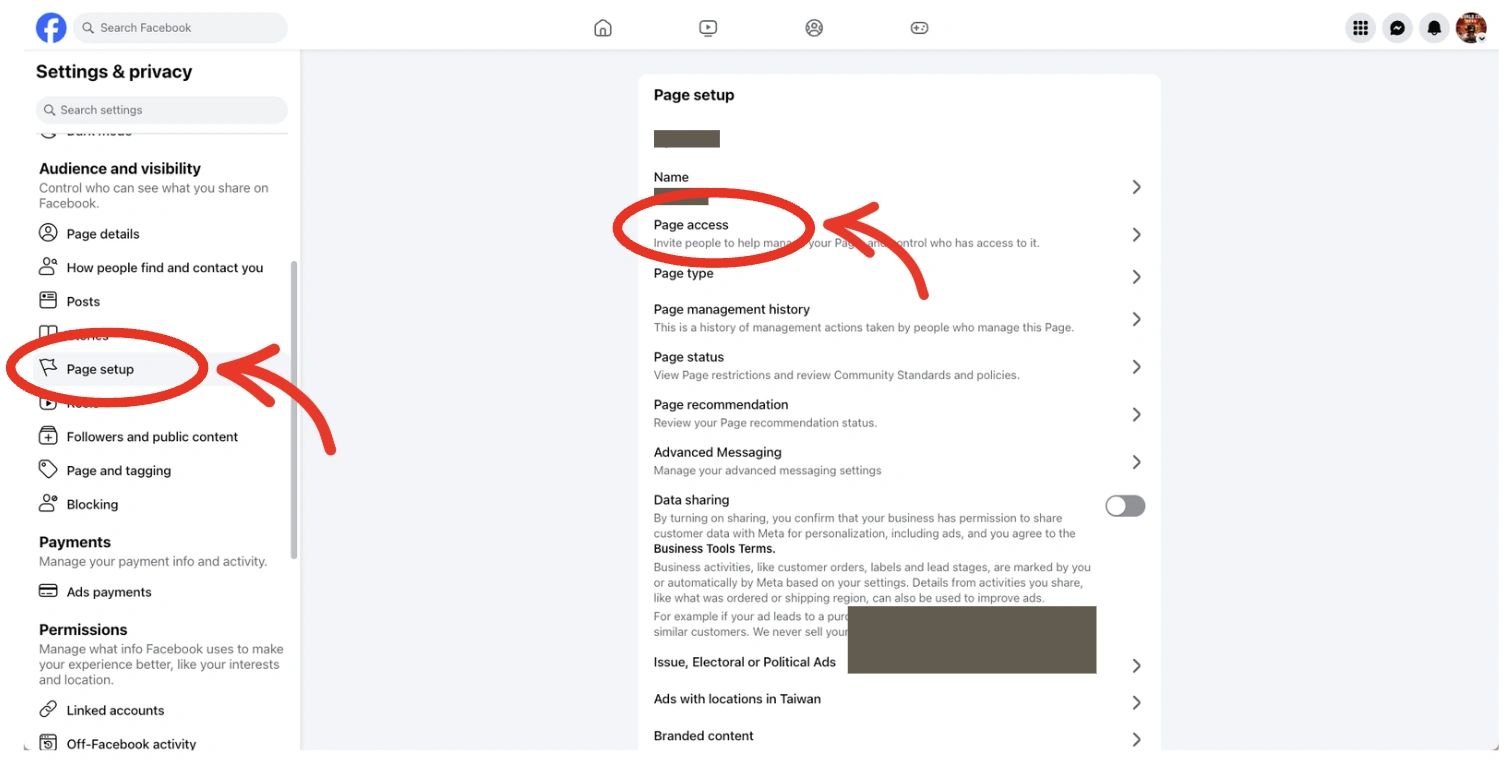
Under Settings, go to Page setup, then open Page access.
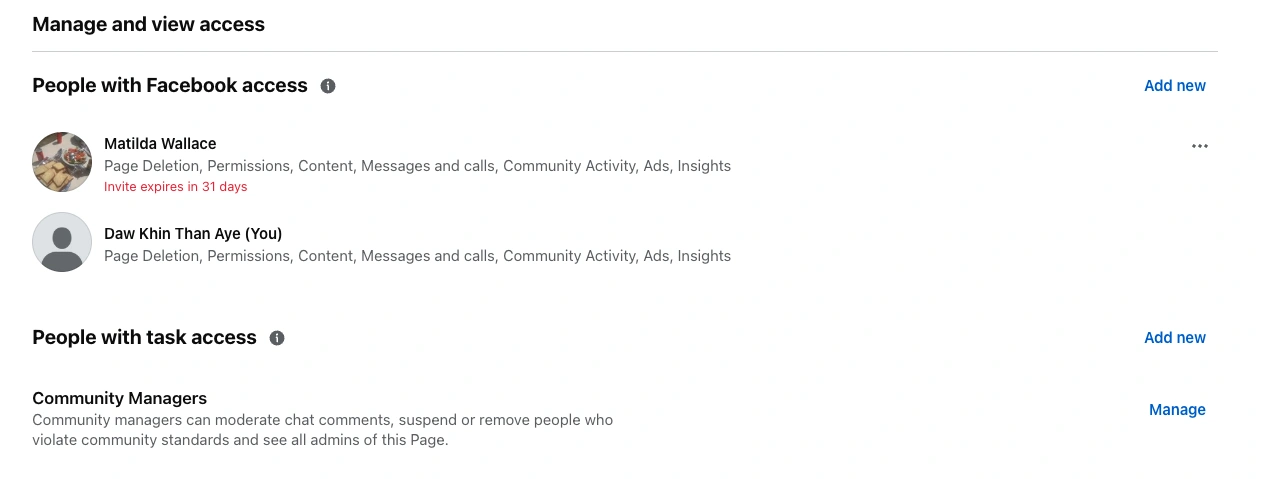
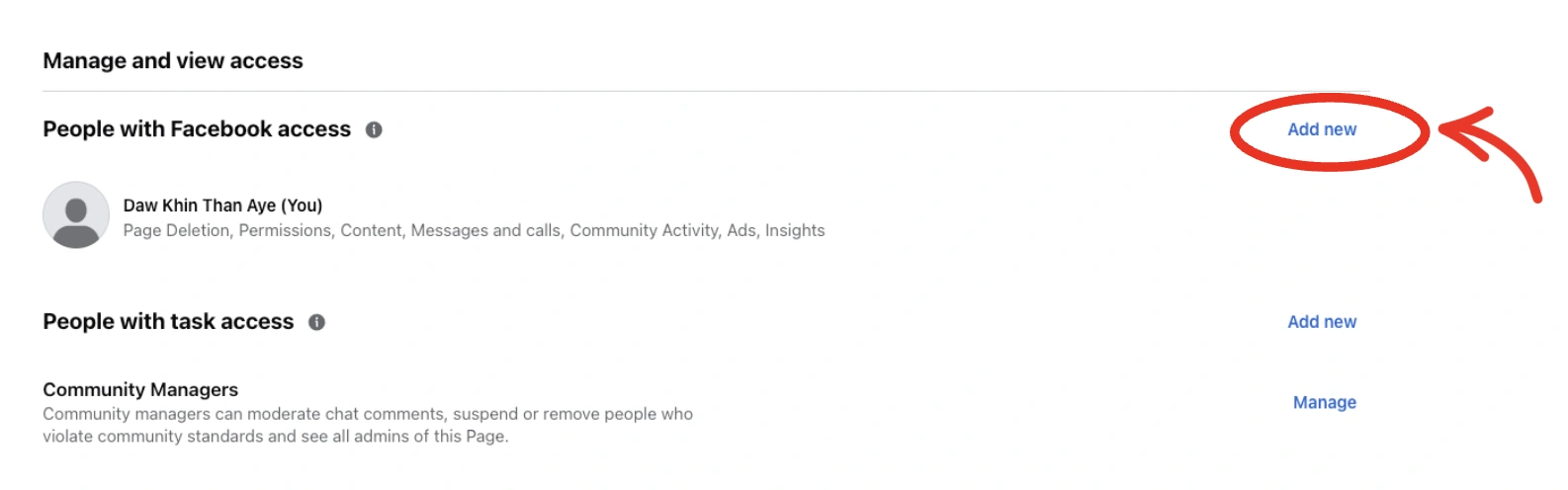
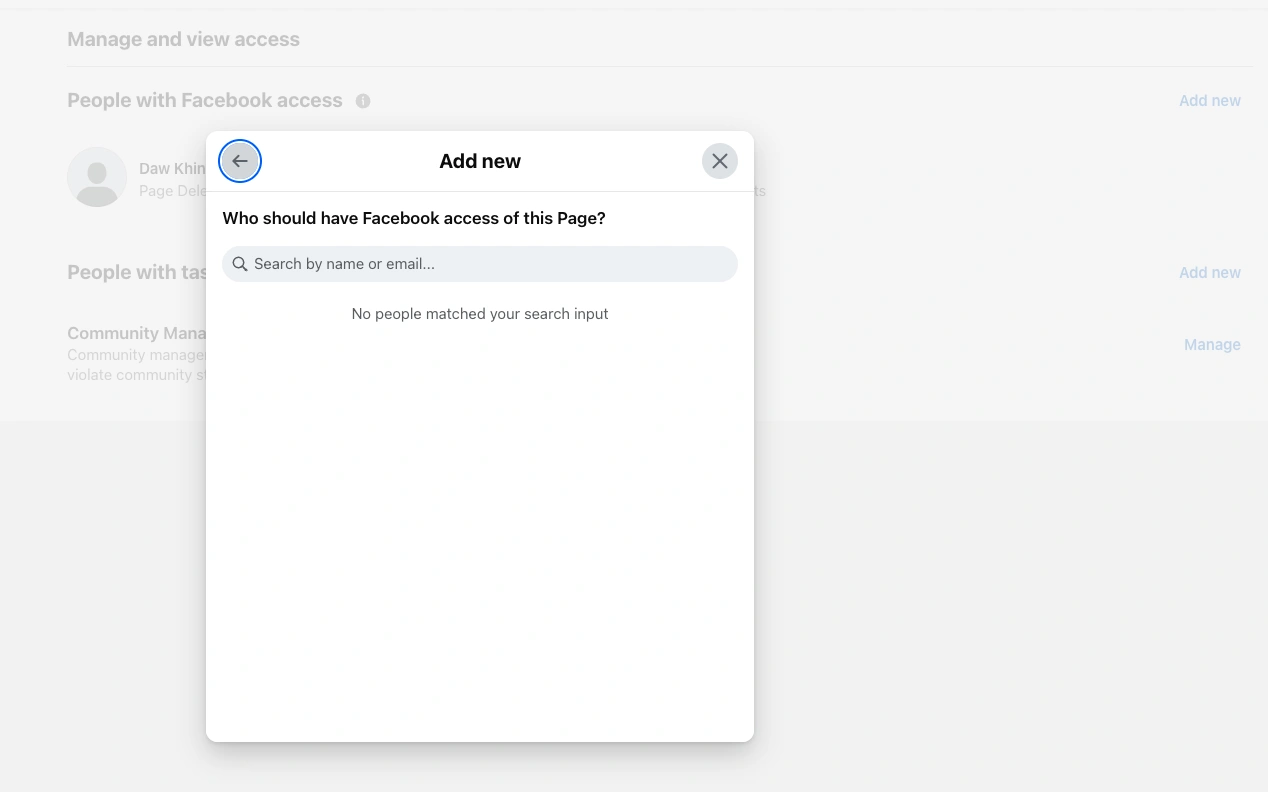
Step 2 — Press Add new, then paste the email or profile link of the account you want to share the page with.
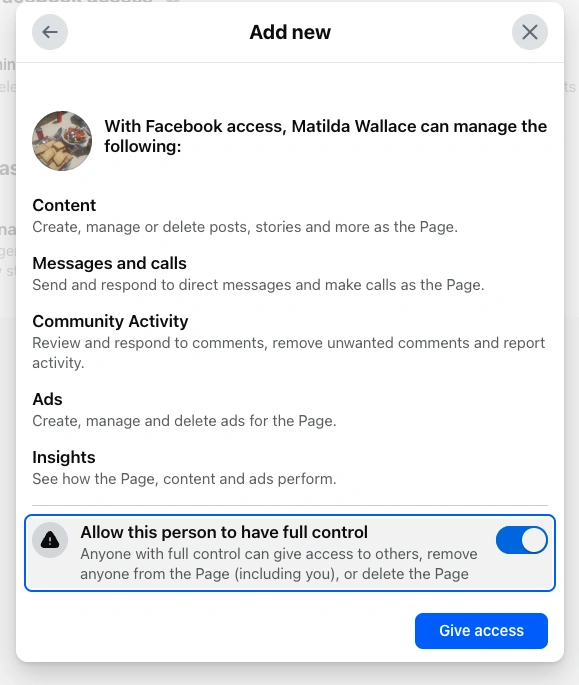
Turn on Allow this person to have full control of the Page, then press Give access.
Successfully invited — ask the shared account to accept the invitation using the steps in How to accept a Facebook Page you purchased above.