

User Manual — How to Place an Order via Casperacc
How to Place an Order via Casperacc
If you're not sure how to use the website, don't worry. Simply follow the steps in this guide to place an order and complete your payment with ease.
Step 1 — Click Register on the website to create your account.

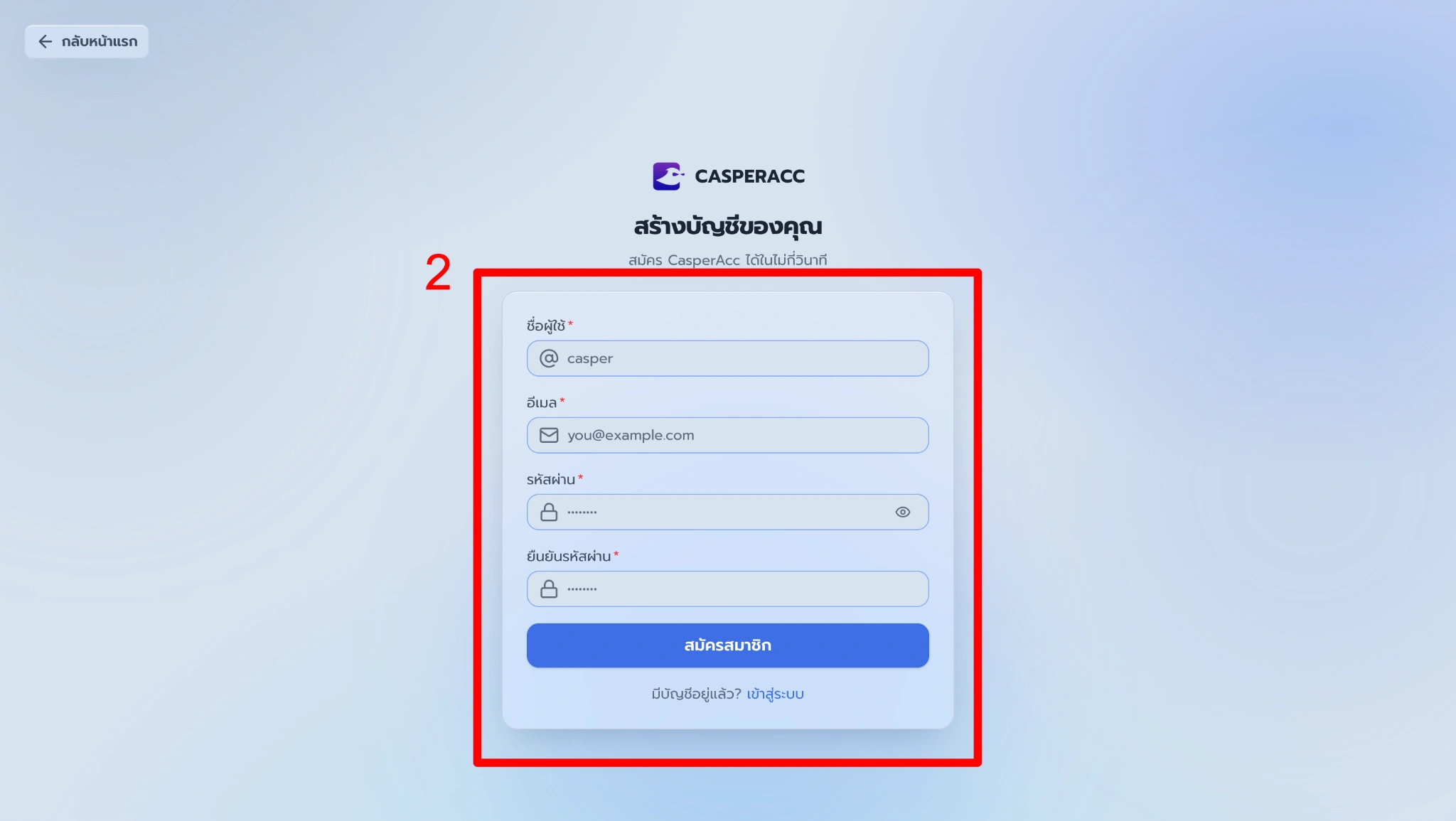
Step 2 — Fill in all required information, review the details to make sure they are correct, then click Register to create your account.
Step 3 — Click Products to choose the type of product you want.

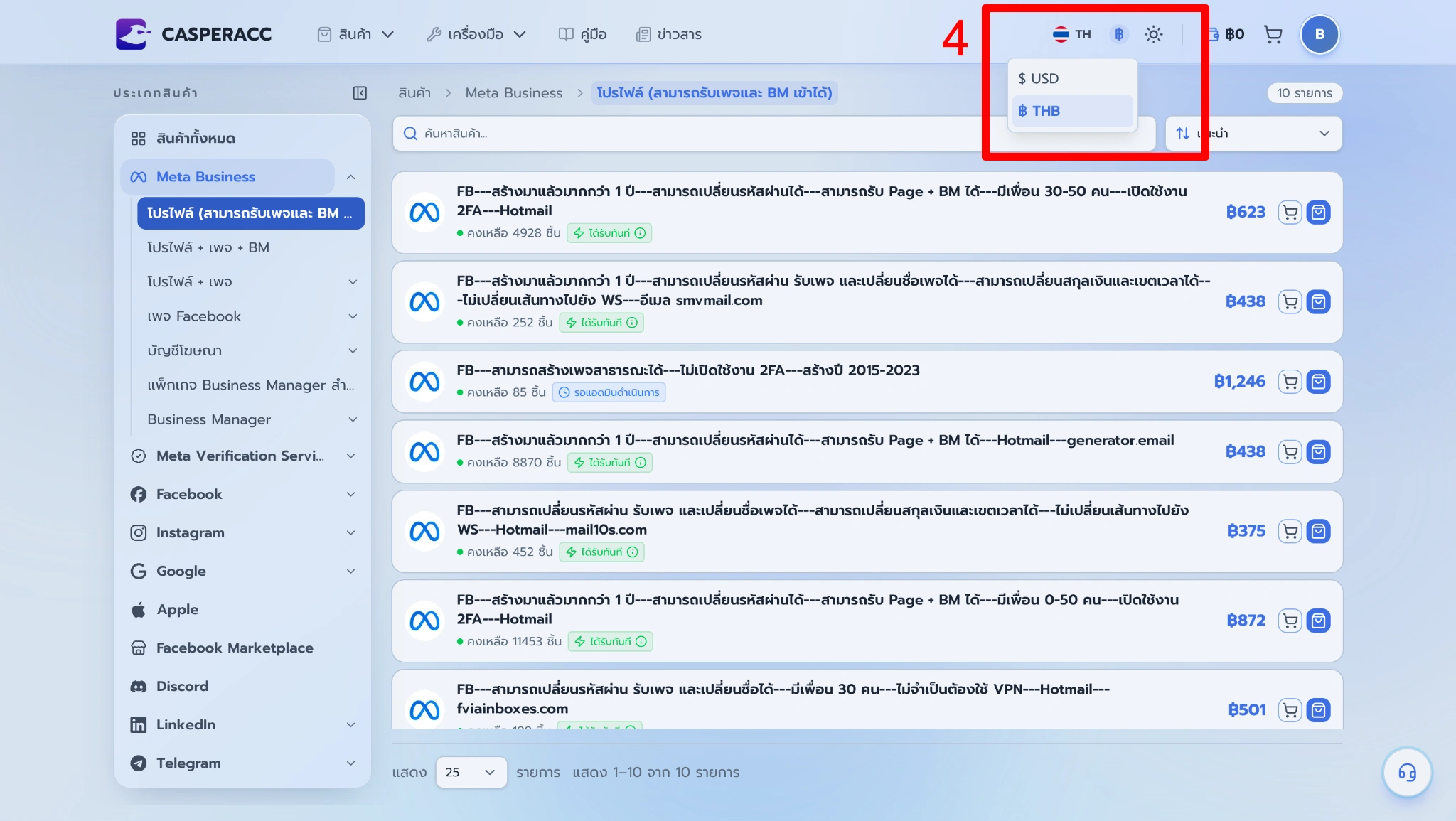
Step 4 — Choose your preferred currency to display product prices in a format that is easier for you to view and compare.
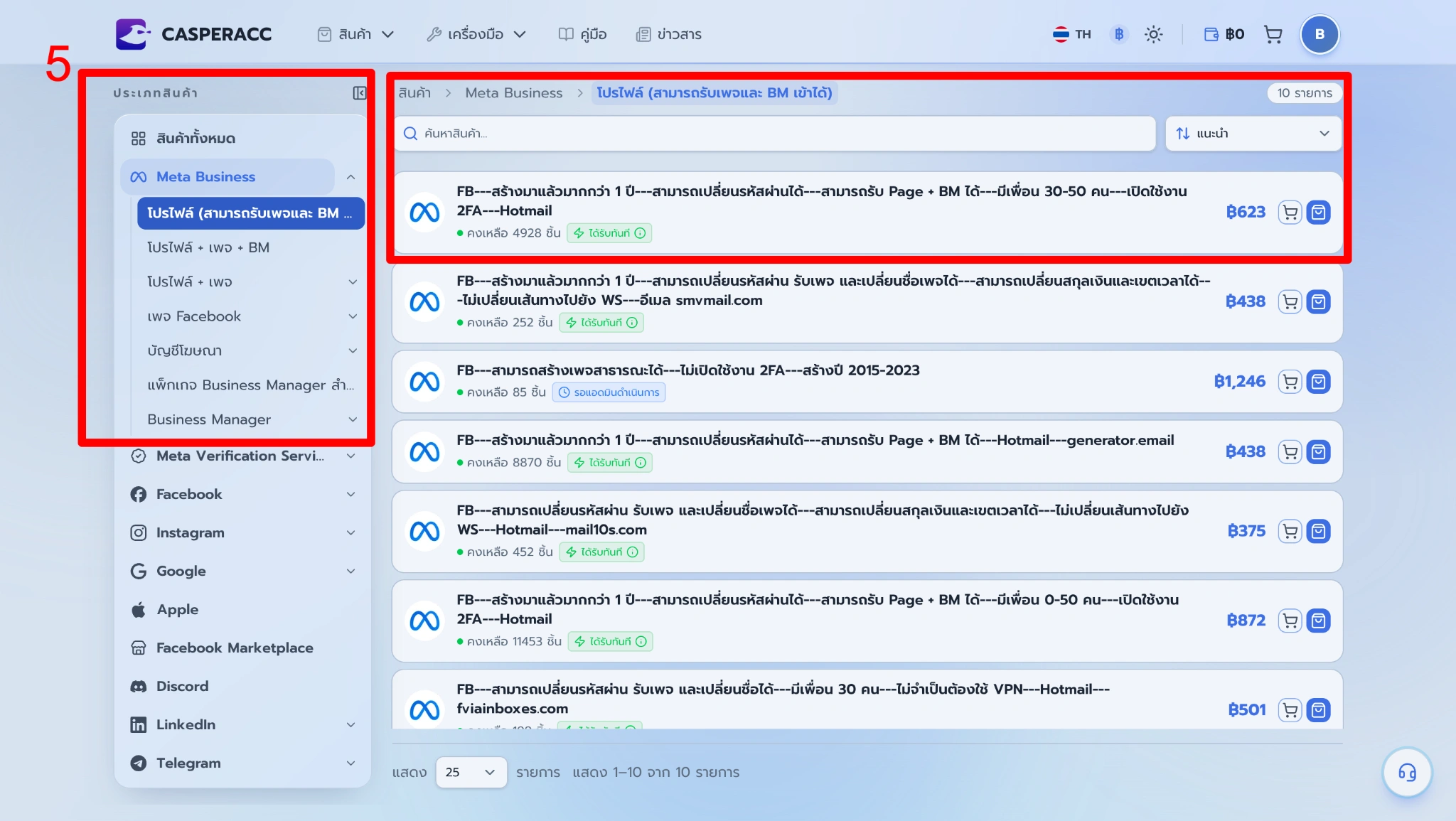
Step 5 — Choose the product category and item you want to purchase.
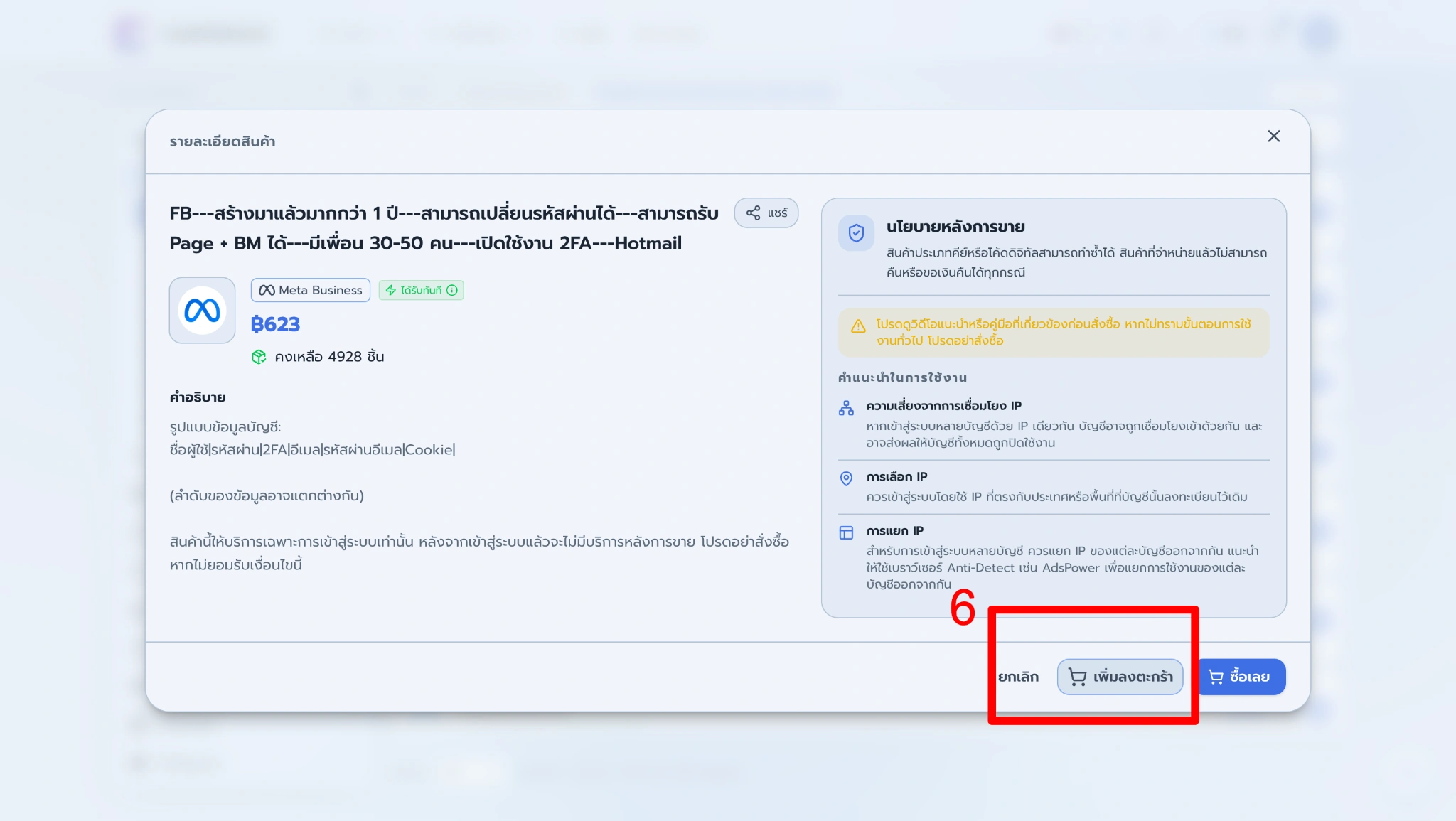
Step 6 — Once you have selected your product, you can choose from 2 ordering methods, depending on your preference.
Method 1: Add to Cart
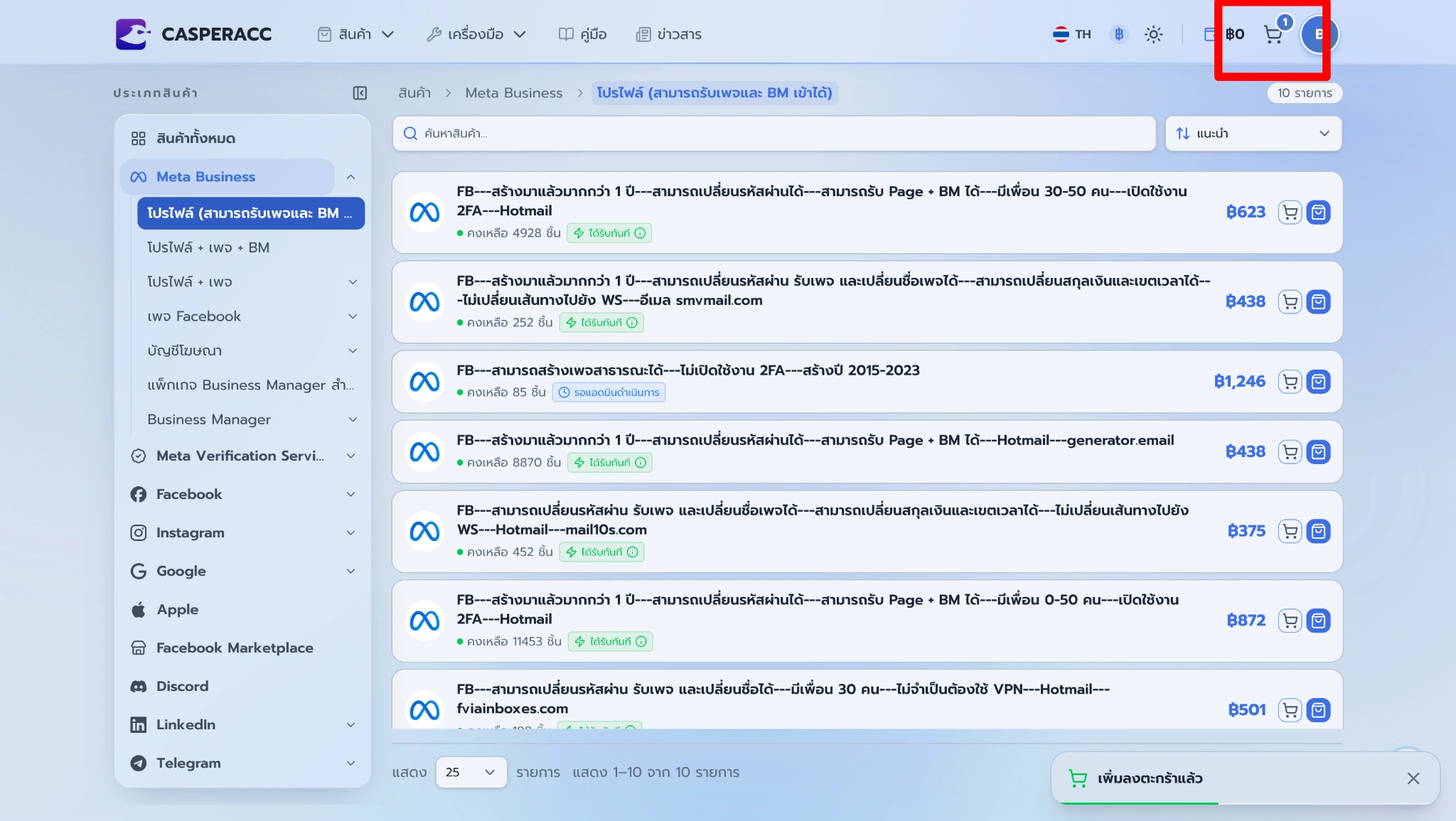
Click Add to Cart to add the selected product to your cart.
Then, go to your Cart to review the selected items.
Review the product details, quantity, and total amount. Then, select your preferred payment method and currency, and click Pay to proceed.
If you have a promo code, enter it and click Apply Code before making the payment.
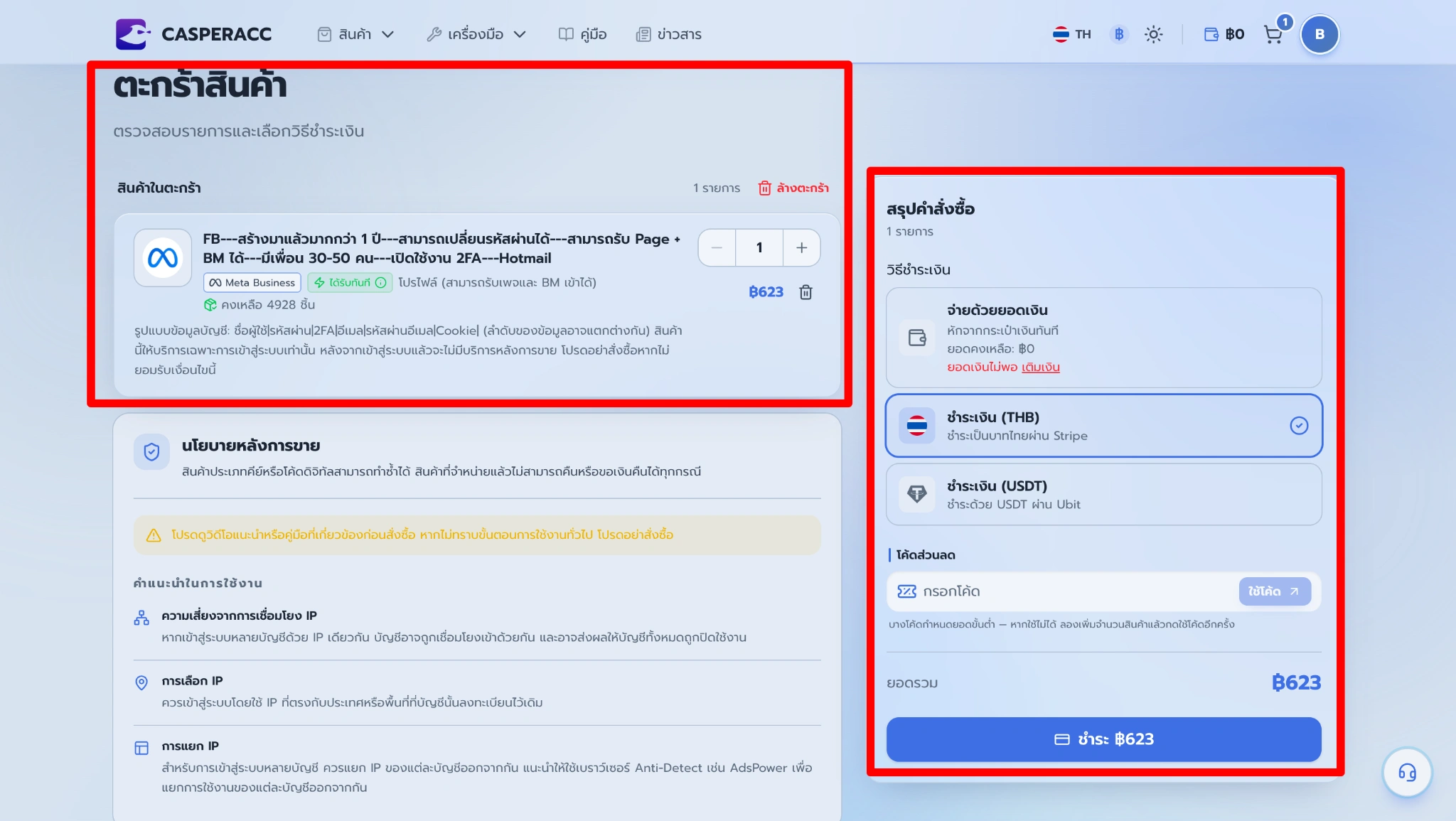
Advantages: Ideal for customers purchasing multiple items, as you can add everything to your cart and review the full order before making payment.
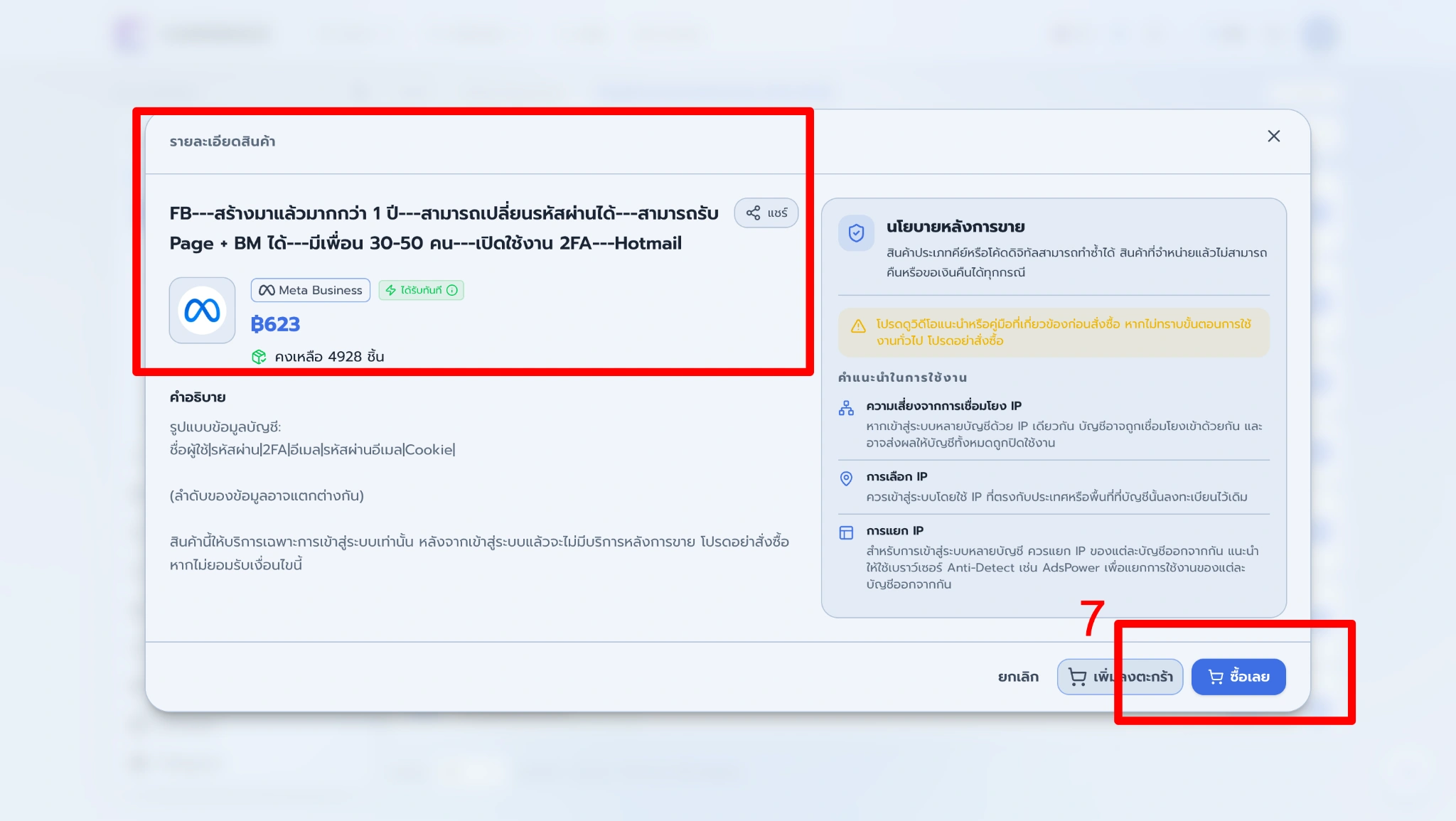
Method 2: Buy Now
Click Buy Now to proceed directly to payment. Before placing your order, please review the product details, quantity, and total amount.
Then, select your preferred payment method and currency, and click Pay to proceed. If you have a promo code, enter it and click Apply Code before making the payment.
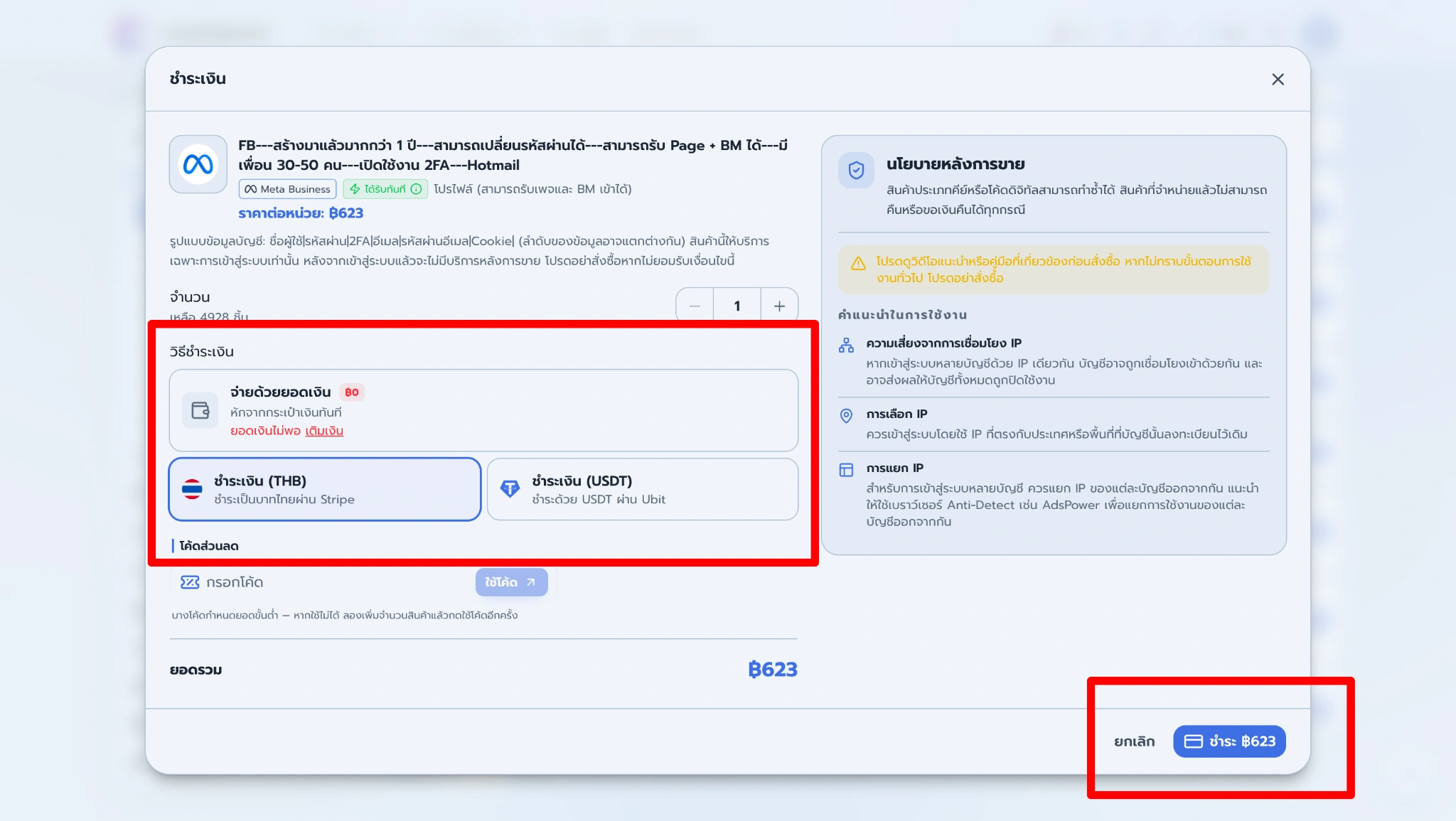
Advantages: Fast and convenient, making it ideal for customers who want to purchase a single item and proceed to payment immediately.
Note: For more information about payment methods and payment steps, please refer to User Manual — How to Top-Ups and Payments.